FocusShield: A Focus Timer for Windows That Actually Blocks Distractions
Most focus apps are a timer with good intentions. You start a session, get bored, open YouTube “for one minute”… and the timer politely keeps ticking in the corner.
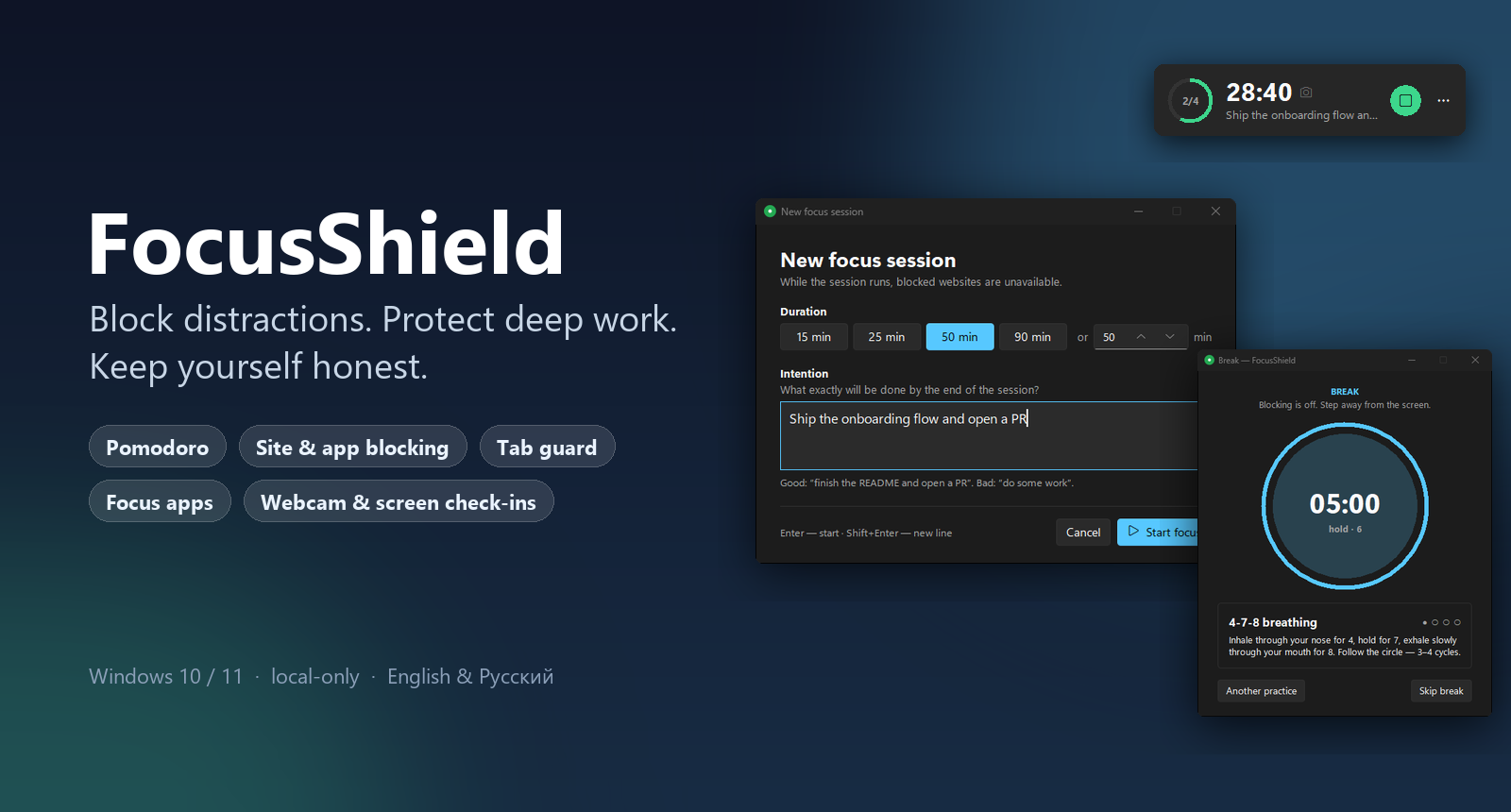
I got tired of that, so I built FocusShield — a strict focus timer for Windows that doesn’t just remind you to work. It actually blocks the distractions: websites, browser tabs, apps, even folders.
Why “Strict”?
Willpower is a finite resource. Every focus app that relies on it loses to a fresh YouTube recommendation feed sooner or later.
FocusShield is built around a different idea: friction. Once a focus session starts, the distracted path becomes slow and deliberate:
- 🚫 distracting websites stop resolving — system-wide, via the
hostsfile; - 🛡 a tab guard closes YouTube tabs even through a proxy or VPN;
- 🔒 chosen apps get closed and chosen folders can’t be opened;
- 🎯 if you wander away from your work apps, they come back to the front;
- ⏳ ending a session early means waiting 10 seconds and typing a phrase.
When the session ends, everything unlocks automatically — and you get a real break.
Start With an Intention
Every session begins with what exactly will be done — not “25 minutes of work”, but “finish the auth flow refactor”. When the timer runs out, FocusShield shows the intention back to you and asks: did you make it?
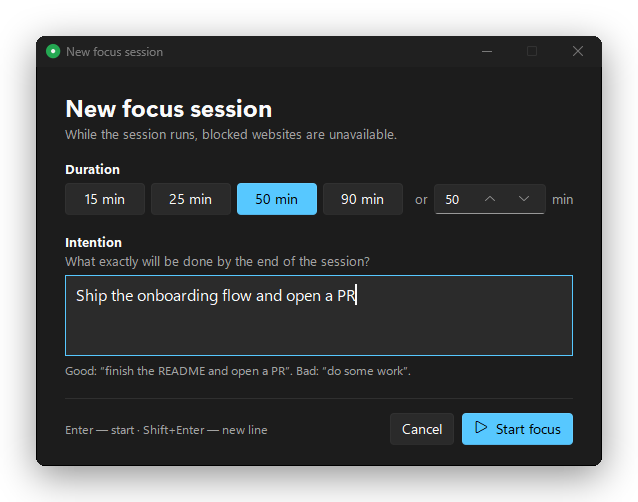
Your answers build an honest history. It’s a small thing, but it changed how I plan my days — vague sessions are much harder to fake when you have to face them afterwards.
A Timer That’s Always in View
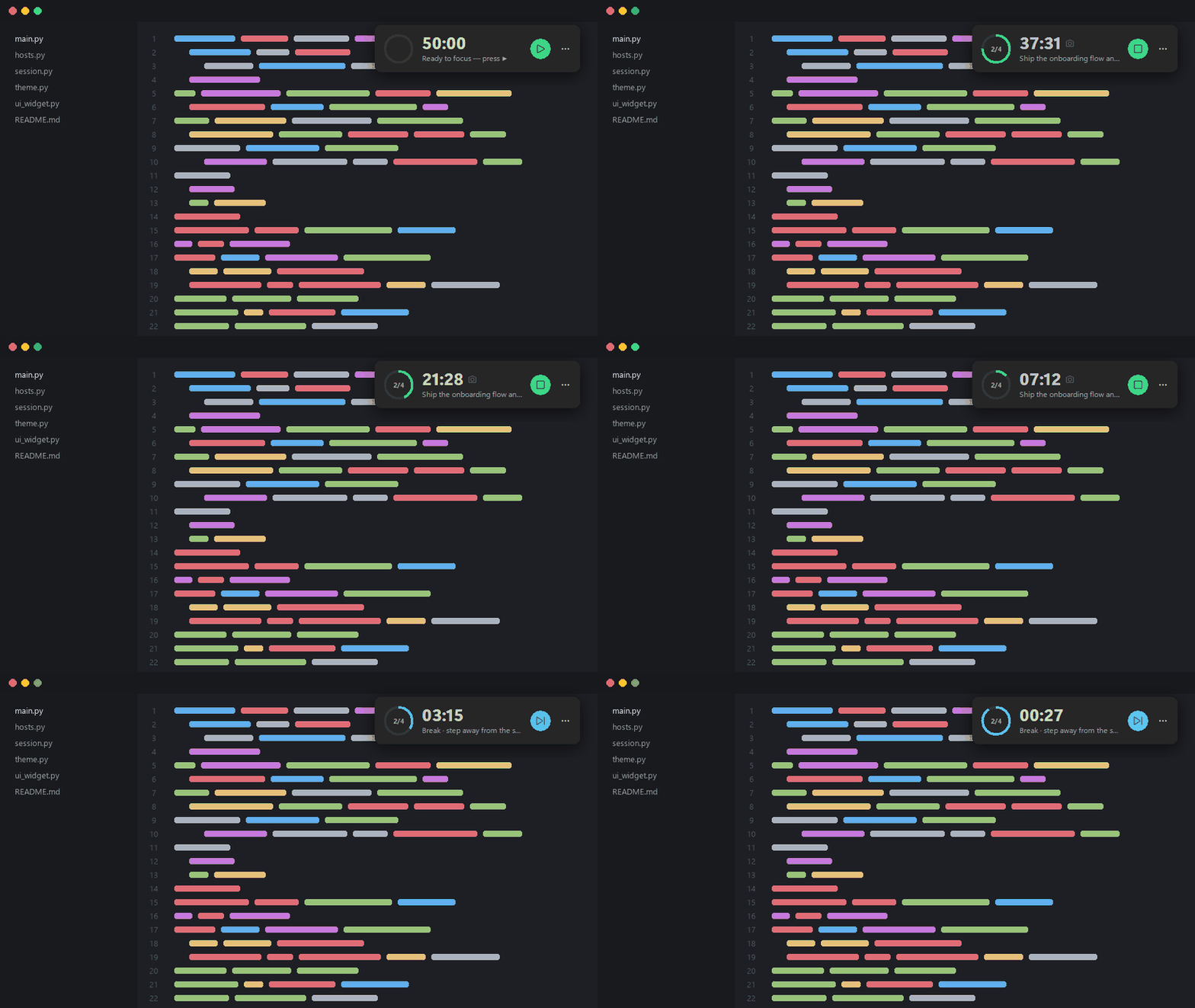
A compact floating timer sits on top of every window: progress ring, time left, your intention and one-click controls. Drag it anywhere — it remembers the spot.
A Sprout That Grows With Your Pomodoros
Turn on the optional mascot and a little sprout sits next to the timer. It grows through your pomodoro series: the stem stretches during each focus, new leaves appear with every finished session, a bud forms near the end — and it blooms on the long break. Then a new sprout starts.

It reacts to what you’re doing, too: frowning with concentration during focus, sweating in the last minute, relaxing on breaks, napping while idle. Click it and it jumps. A tiny thing — and yet skipping a session feels a little like letting a plant die.
Blocking That Holds Up
This is the part most “website blockers” get wrong. FocusShield layers several mechanisms, because each one alone can be circumvented:
| Layer | What it does | Survives proxy / VPN? |
|---|---|---|
| Websites | Domains resolve to 0.0.0.0 via the hosts file; DNS-over-HTTPS servers are blocked too, so the browser’s “secure DNS” can’t sneak around it |
❌ |
| Tab guard | Watches browser window titles and closes a tab whose title contains a keyword (YouTube by default) |
✅ |
| Apps | Processes on your list are closed during focus (Telegram, Steam, Discord…) | ✅ |
| Folders | An NTFS deny-read rule on the folder — Explorer gets “access denied” | ✅ |
The tab guard deserves a mention: it works on window titles, not URLs, so it
doesn’t care whether your traffic goes through a VPN, a proxy, or carrier
pigeons. Matching is exact on segments — a search for “how to block youtube”
or a file called youtube.py is never touched.
System processes and critical folders (Windows, Program Files, drive roots) are refused on purpose — FocusShield can’t brick your PC.
Breaks That Actually Restore You
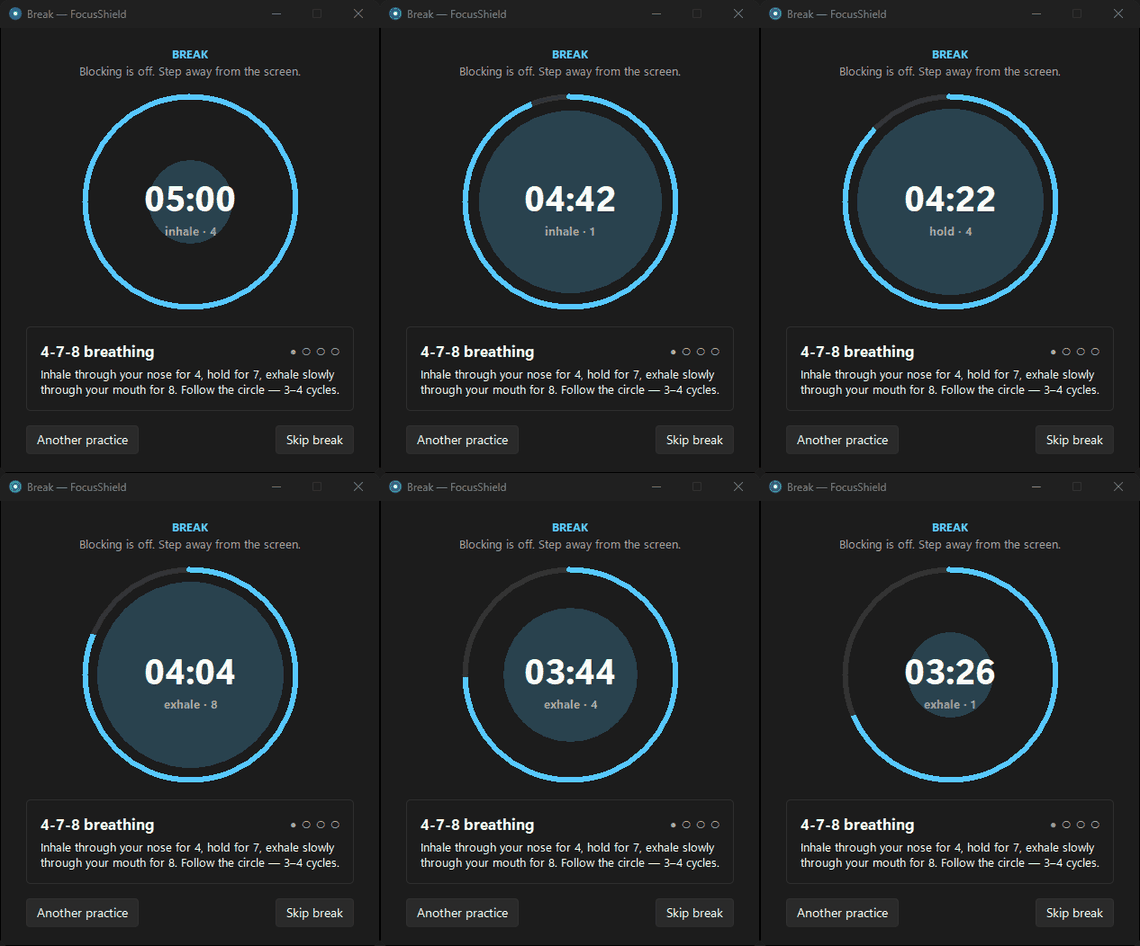
A timer without breaks is just a guilt machine. When a session ends, a break window guides you through micro-practices: 4-7-8 breathing with an animated circle, the 20-20-20 eye rule, a stretch and a glass of water. Long break after every N sessions.
Stats, Streaks and Honesty
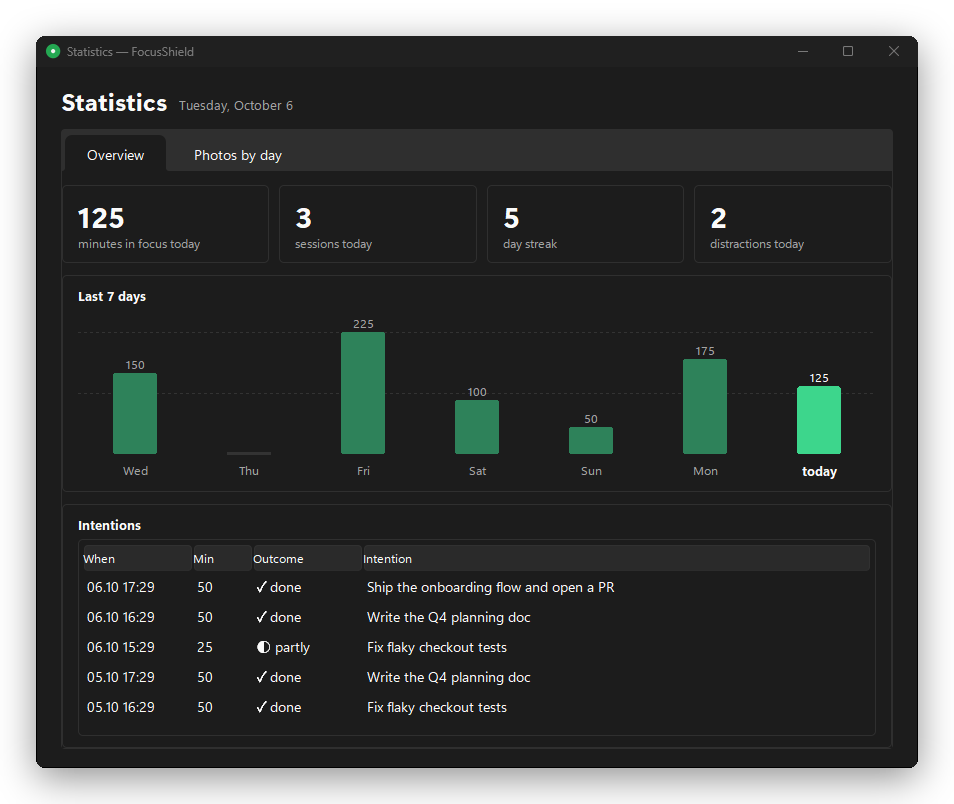
Minutes in focus, sessions, day streak, distractions caught, a 7-day chart and every intention with its outcome:
And if you want to keep yourself really honest, there are optional webcam and screen check-ins every N minutes — only during focus, stored 100% locally, deleted automatically after the retention period you set.
Leaving Early Costs Something
This is my favorite part. When you try to bail out of a session, FocusShield doesn’t guilt-trip you with a dialog — it makes you wait 10 seconds and type a phrase by hand:
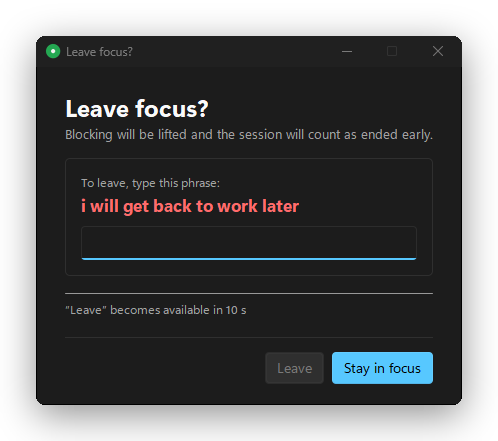
Can you still cheat? Of course — anyone with an admin terminal can kill a process. FocusShield is friction, not armor. But in practice, a 10-second pause is usually all it takes to remember why you started the session.
Under the Hood
FocusShield is a small Python app: a system-tray icon (pystray), a Windows 11
style UI (tkinter + the Sun Valley theme), toasts (winotify) and plain
WinAPI via ctypes for windows, processes and folder permissions. No Electron,
no background services, no network calls — everything stays on your machine.
It ships as a single-file exe built with PyInstaller. On first run it registers a Task Scheduler entry at logon, so there’s no UAC prompt on every boot. Session state is written atomically with absolute end times — if the app crashes mid-session, it resumes on restart and nothing stays blocked by accident.
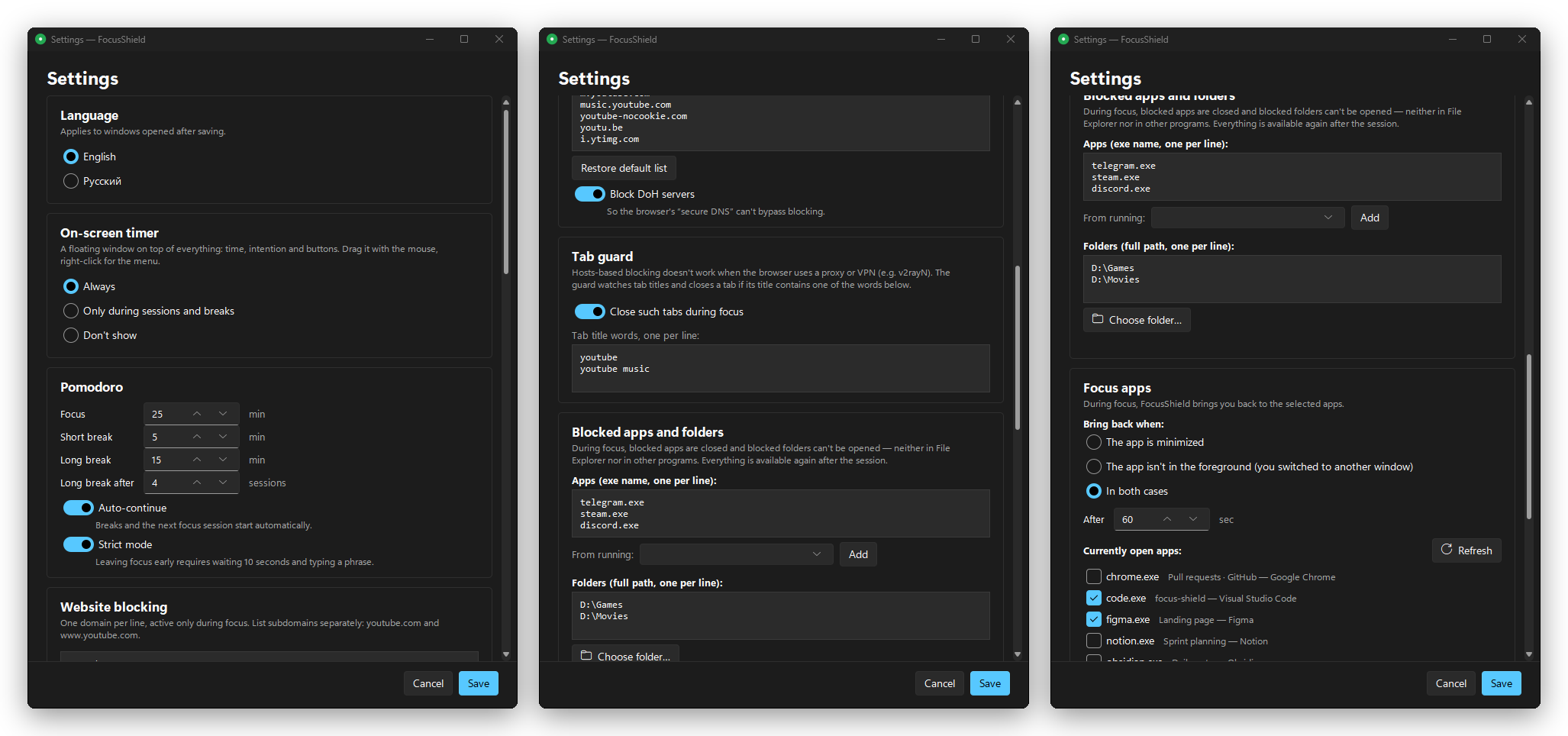
Everything is configurable: Pomodoro lengths, strict mode, blocked sites, tab keywords, blocked apps and folders, focus apps, captures, theme (light / dark / follow Windows) and language (English / Русский).
Try It
If you, like me, keep losing fights with your own browser:
💡 Download FocusShield.exe — one file, no Python needed.
The source is on GitHub: bigdevwhale/focus-shield. If it helps you ship, give it a ⭐ — it helps others find it.

comments